5 Smart Ways to Stay Secure in 2026
Online banking and shopping are no longer just convenient—they’re essential. From paying bills to ordering groceries, most people rely on the internet daily. So obviously I’m alarmed when I constantly see data breaches at my in-home service calls with elderly clients. With that convenience of the internet comes a growing wave of cyber threats, scams, and data breaches. So in this environment it’s essential to be more careful.
So the question still stands: Is it safe to bank and buy online? The answer is yes—if you follow modern security practices.
1. Watch Out for Phishing (Now Smarter Than Ever)
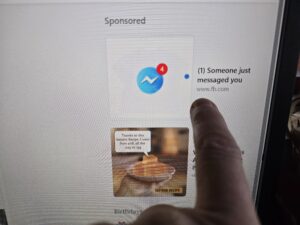
Phishing scams have evolved far beyond the obvious fake emails of the past. Today’s attacks can look incredibly convincing and may come through email, text messages (smishing), phone calls (vishing), or fake login pages that look identical to your bank. Criminals often pretend to be your bank, Amazon, Norton, PayPal, IRS, FedEx, or even Microsoft.
To stay safe, never click login links in emails or texts. Go directly to the website by typing it in or using your bookmark. Be suspicious of urgency like “your account will be locked,” or “your photos will all be deleted and you will not be able to recover” and other nonsense. And always check the sender email carefully for subtle misspellings. If something feels off, it probably is.
2. Always Use Secure Websites (HTTPS Isn’t Enough Anymore)
Seeing “https://” and a lock icon used to be enough, but today even scam sites can have HTTPS. You need to go a step further.
Make sure the domain name is exactly correct with no extra letters or misspellings. Pay attention to browser warnings, avoid clicking ads that lead to login pages, and stick with well-known, trusted retailers and banking apps. The lock icon only means the connection is encrypted—it does not guarantee the site is legitimate.
3. Use Two-Factor Authentication (2FA)
This is one of the biggest improvements in online security. Even if someone gets your password, they still cannot access your account without a second verification step.
Common methods include text message codes, authentication apps like Google Authenticator or Microsoft Authenticator, and biometric logins like fingerprint or face recognition. If your bank or any online account offers 2FA, turn it on.
4. Avoid Public Wi-Fi (or Use Protection)
Public Wi-Fi at airports, hotels, or coffee shops like Starbucks is still a major risk. Attackers can intercept your data, create fake networks, or monitor activity on unsecured connections.
The safest option is to use your home network or your phone’s hotspot. If you must use public Wi-Fi, use a VPN to protect your connection. Never access banking or sensitive accounts on public Wi-Fi without protection.
5. Keep Your Devices and Software Updated
Outdated systems are one of the easiest ways for hackers to get in. Whether you’re using Windows 11, macOS, or a smartphone, updates are designed to fix security vulnerabilities.
Turn on automatic updates, keep your browser current, use modern antivirus protection, and remove old or unused software. Updates may seem inconvenient, but they are one of your strongest defenses.
Final Thoughts
Online banking and shopping are safer than ever, but only if you stay alert and follow good habits. Most cybercrime today relies on tricking people rather than breaking through systems.
If you avoid suspicious links, verify websites carefully, use 2FA, stay off public Wi-Fi for sensitive tasks, and keep your devices updated, you can enjoy the convenience of the internet without putting your money or identity at risk.