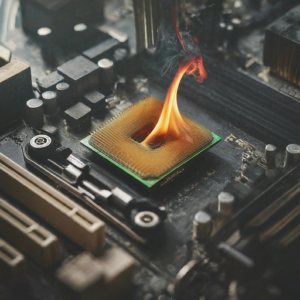
 The motherboard is the heart of a computer. As long as your computer’s motherboard is intact – when things go wrong – your computer is often repairable at a reasonable cost. Motherboard repair or replacement, on the other hand, is usually very expensive. That said, there are several things to think about regarding prolonging the life of your motherboard. Here is a list of different reasons your computer’s motherboard might fail — along with suggestions on failure prevention.
PC Builder Damage
At least once a month I get a call from a PC Builder saying he or she just build a computer and it won’t come on. A nontrivial amount of the time the motherboard or CPU has bent pins or other damage such as: scratching or cracking the PCB, bent PCIe lanes, bent over capacitors etc. This could often be mitigated by the building watching Youtube videos about the build rather than forcing it.
Electrical Spikes and Surges
An electrical spike or surge is a short-lived burst of energy in an electric circuit. This can be the result of power hungry appliances, problems with wiring, problems with the power service outside the house, or the result of a lightning strike. Lightning is the #1 culprit of spike/surge motherboard failure I see — and it will often go in through the Ethernet port and bypass a surge protector! This sudden change of voltage can cause damage to the delicate circuits in a motherboard. Connecting your computer to a power outlet that has frequent fluctuations in electrical output may also cause damage to your motherboard. Though at times immediate damage may not be visible, it may harm the motherboard over time. To protect your motherboard from electrical spikes, use a high quality surge protector that can neutralize the effects. Unfortunately, it’s difficult to protect from lightning strikes.
Dust, Pet Hair and Debris
Dust pet hair and debris can be a sure motherboard killer. At my shop in Louisville, KY I can’t tell you how many times I see fans and fan basins clogged with dirt, dust, and debris. When these things collect in your machine, they start blocking the air circulation that keeps the machine cool. It is like harmful fat that blocks your arteries that cause a heart attack. A computer intake pulls all these things in when the fans rotate. This leads to blocking the airflow, which causes overheating.
Cigarette smoke
Tar from cigarette smoke (it’s not the nicotine, by the way) is not good for your health and also for the health of your computer. Cigarette smoke, when combined with dust produces a sticky gooey substance inside a computer. It smells bad and is also very difficult to remove. This tar can cause overheating — which may damage the motherboard. It is recommended that you have a periodic schedule of cleaning the interior of your computer (at a qualified shop) and try and keep it away from cigarette smoke.
Heating Issues
Overheating of the motherboard can occur if multiple operations are performed simultaneously and power supply is continuous (give your computer a periodic rest if gaming, watching videos, etc). Also, clogging of fans can cause a motherboard to overheat. In some cases, overheating may also occur due to fluctuations in power supply or in one of the parts of the motherboard circuit. Finally, using a laptop in your lap or on another soft surface can cover up intakes and exhaust fans causing your machine to heat up. Overheating can be prevented by keeping the fan basins clear, giving your computer a rest after heavy use, using your laptop in the cooler rooms in the house, and using it on a cold hard surface. Temperature monitoring software can be installed to monitor the temperature of your computer internally (Core Temp, Real Temp, SpeedFan).
Impact or Spill
An accidental impact to your motherboard can cause severe damage to the circuits which may cause motherboard failure. I have seen motherboards fail immediately due to impact from drops. Spill damage is also quite common. I have seen every type of liquid kill a motherboard instantly but thicker liquids (e.g., milk) seems to be the worst. Spills can cause your motherboard to short out instantly. Water can also cause damage to the different chips on your motherboard causing your motherboard to fail. If you do spill something into your laptop do NOT turn it on again and take it to a qualified computer repair shop, immediately.
Manufacturer Design Defects
Motherboards are mass produced and there are chances that manufacturing defects occur. Cheap motherboards also tend to fail more quickly. The capacitors installed may be faulty and may cause problems. The bus architecture of the board may have been engineered incorrectly and there might be cooling issues. Most motherboards come with a warranty so it should take care of expenses if problems arise during the warranty period, but that is often only a year and doesn’t cover user generated problems, of course. Sometimes the manufacturers admit to the faulty designs but usually not. Usually computer repair shops can tell if there is a “known issue” because we see the same problems occurring over and over with the same make and model of computer. I can see some trends related to certain generations of computers and it’s not with only one manufacturer. Sometimes these manufacturer defeats aren’t “known” for years (after enough of a make and model show up at the shops and enough complaints are filed that it becomes obvious there is a known issue with a particular make and model) and then it becomes more obvious based on discussions on the internet.
Normal Aging and Wear
Your motherboard will eventually fail (if something else doesn’t fail first.) This is a fact. It is an electric circuit board and has a finite life span. Some good motherboards will give you around fifty thousand hours of work time or even more if taken care of properly. Once they have reached their useful life span, they do fail and you may have to replace it or replace your computer. The good news is when you are aware of the reasons motherboards fail preventative and preparatory actions (see my article on backing up important files) can be taken to minimize the negative impact.
Please visit our website for more useful computer repair and topics.

Monthly Archives: November 2013
Computer and IT Services For Business

Are you sick and tired of calling your slacker IT guy and not getting an answer or an immediate callback? The first thing you have to do is answer the phone. After that, you have to execute flawlessly on the repair ticket! At On-Site Louisville Computer Repair Company, that’s exactly what we do. We specialize in delivering “Special Forces” style service. We solve the hard problems that other shops cannot figure out.
Whether you need tough problems solved, a one-time computer or peripheral fix, technology equipment upgrades, and/or ongoing monthly IT support, we can probably handle it (if not, I’ll tell you). We make the smart recommendations and fixes to keep your business on track. Available until midnight, 7 days a week—including Saturdays, Sundays, and holidays—we are your trusted partner for all your business technology needs. Whether you’re facing a sudden IT emergency or planning for long-term growth, we are here to ensure your systems are running smoothly, securely, and efficiently.
 Once your hardware or software is repaired, we can even reconfigure your entire IT system with new free software and put all your company data back in place. Whatever your need — no problem that you may have with your business technology is too big or too small for us. On-Site Louisville Computer Repair Co. can be your one-stop shop for on-site business computer service in Louisville, KY and surrounding areas.
We can set you up to do break/fix calls on your current systems or help you transition to a more reliable and efficient IT environment. Our team works closely with your business to ensure minimaldowntime and maximum productivity, no matter the size of your operation.
Because of our established relationships with trusted technology vendors and suppliers, we can oftenprovide cost-effective solutions tailored to your needs. Let us show you your options for upgrades,replacements, or ongoing IT support so your business technology runs smoothly and securely.
Why Choose Us for Your Business IT Needs?
- Extended Hours: Available until midnight, every day of the week—including weekends and holidays.
- Emergency On-Site IT Support: We provide rapid on-site response for critical IT issues to minimize downtime and keep your business running.
- Experienced Professionals: With over 30 years of experience, we bring expertise and reliability to your IT infrastructure.
- Comprehensive Services: From hardware repairs to advanced network configurations, we handle it all.
- Always Available: We answer the phone every time you call. Reach us at (502) 963-3981.
Some business computer services we provide:
- Network setup and management
- Hardware procurement and installation
- Software installation and configuration
- IT helpdesk and technical support
- Data backup and recovery
- Cloud computing services
- Virtualization solutions
- Cybersecurity services and solutions
- Firewall setup and management
- Network monitoring and maintenance
- Server administration and maintenance
- Email hosting and management
- VoIP (Voice over Internet Protocol) services
- Website development and hosting
- Domain name registration and management
- Database design and management
- Remote desktop services
- IT consulting and technology planning
- IT project management
- Mobile device management (MDM)
- Internet connectivity and WAN optimization
- Network infrastructure design and implementation
- VPN (Virtual Private Network) setup and management
- Software licensing and compliance management
- Software updates and patch management
- Disaster recovery planning and testing
- Network security audits
- Malware and virus protection
- Intrusion detection and prevention
- Data encryption services
- IT asset management
- Printer and peripheral device support
- Unified communications solutions
- Video conferencing services
- Business process automation
- Data analytics and business intelligence
- IT training and user education
- Social media management tools and services
- Customer relationship management (CRM) software
- Enterprise resource planning (ERP) systems
- Point of sale (POS) systems
- Inventory management software
- Supply chain management software
- Human resources management software
- Accounting and financial management software
- Time tracking and project management tools
- Document management and collaboration tools
- Virtual private server (VPS) hosting
- Dedicated server hosting
- Content delivery network (CDN) services
When your business needs reliable computer and IT support in Louisville, you deserve more than an answering machine or another shop that can’t handle the tough problems. At On-Site Louisville Computer Repair Co., we bring over 30 years of hands-on experience delivering fast, on-site solutions that keep companies running smoothly. From emergency repairs and network issues to cybersecurity, cloud services, server management, and full IT infrastructure support, we handle it all with the responsiveness and expertise your operation depends on. We answer the phone every time, show up when you need us, and stay available until midnight—seven days a week, including weekends and holidays. Stop dealing with downtime and unreliable support. Call us today at (502) 963-3981 and let our team take care of your computer and IT needs so you can focus on running your business.

RSS Feed
