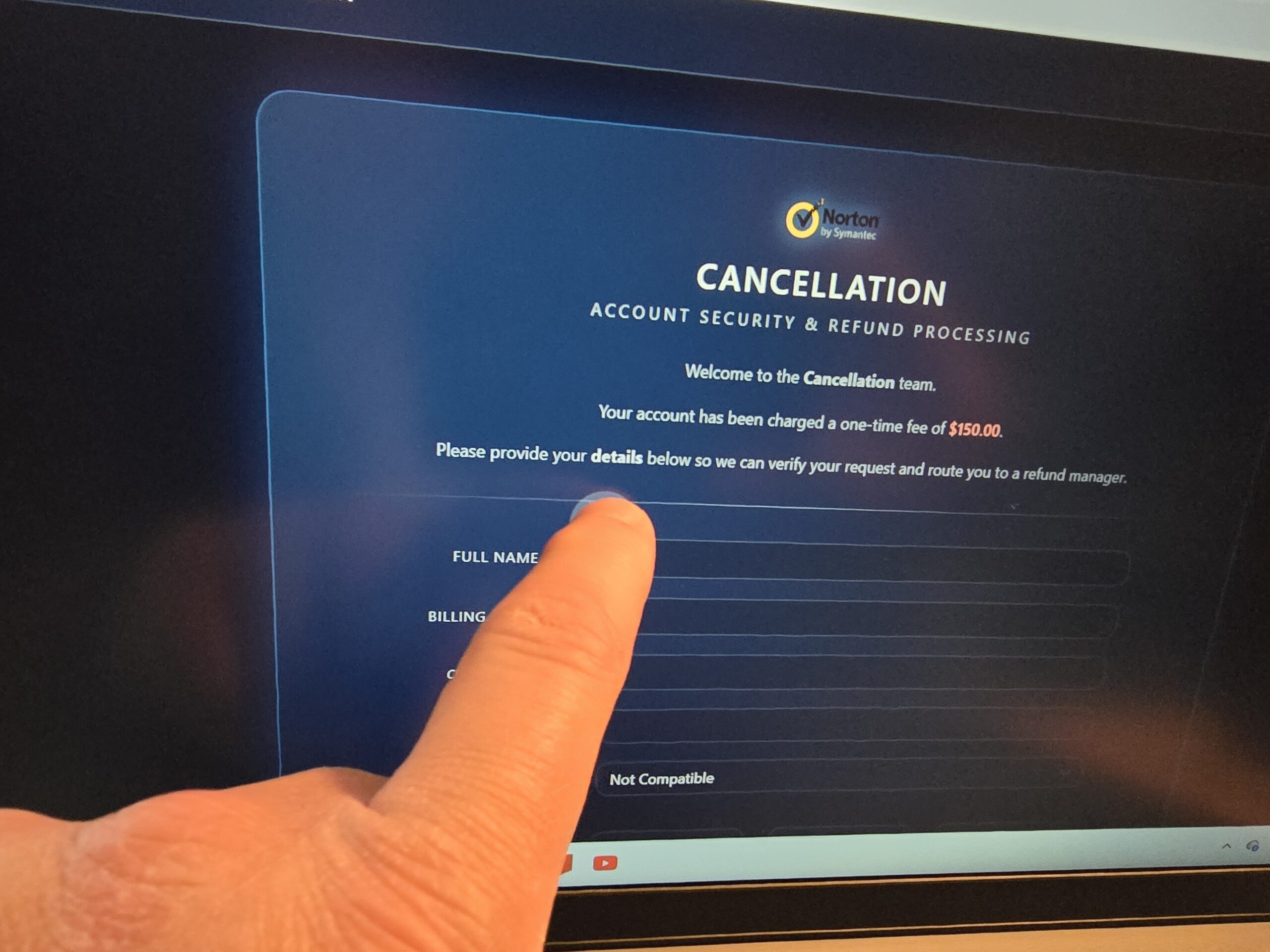
See the photo on this blog post? It’s fake. Every week at my Louisville, Kentucky computer repair business I receive calls from people who believe their computer has been “hacked.” Sometimes the problem turns out to be a virus, sometimes it is a false security warning, and other times it is a tech support scam designed to scare someone into paying money or giving a stranger remote access to their computer. Other times they may have simply forgotten a password to something like their Facebook account.
When something unusual appears on the screen and your computer starts behaving in ways it never has before, it is easy to panic. The good news is that most of these situations can be fixed if you act quickly and avoid a few common mistakes.
Below are some of the warning signs to watch for and the first steps you should take if you think your computer may be experiencing a problem like this.
How Did This Happen?
Some people encounter the problem while browsing the internet when a website suddenly displays a full-screen warning claiming their computer is infected or locked. These messages often include loud alarms or flashing alerts telling the user to call a support number immediately.
Other times the problem starts with an email. Scam emails often pretend to be from companies like Microsoft, PayPal, Amazon, or a bank and warn that there is a security problem with your account. The message may include a link that leads to a fake website designed to steal passwords or install malware.
Phone calls are another method scammers use. Someone may call claiming to be from “Microsoft support” or a security department and say your computer has been sending out spam or has been compromised. In reality, these callers are usually trying to convince you to give them remote access to your computer.
What Signs to Look For
Some unusual behavior on a computer may include your browser redirecting you to unfamiliar websites, new programs appearing that you do not remember installing such as new browsers or toolbars, or the computer suddenly becoming much slower than normal.
In many cases the computer has not actually been hacked by a person. Instead, it has been exposed to malware, or a pop-up has frozen your browser with a scary security message designed to frighten you into taking action such as calling a 1-800 number.
The Most Common Computer Scam Right Now
One of the most common scams I see these days involves fake Microsoft security warnings. A webpage suddenly fills the screen with alarms and flashing messages claiming your computer is infected or locked.
The message often instructs you to call a phone number for immediate help. When someone calls the number, the person on the other end pretends to be a Microsoft technician and asks for remote access to the computer.
Once connected, they may run a few commands, claim they discovered serious problems, and demand payment to “repair” the system. In some cases they also attempt to install additional software or collect personal information.
It is important to understand that Microsoft does not display warnings asking you to call a phone number, and legitimate security alerts do not lock your browser this way.
What Not To Do
If you believe your computer may be compromised, there are a few things you should avoid doing.
Do not call the phone number shown in a pop-up warning. Those numbers almost always connect you to scammers.
Do not give anyone remote access to your computer unless you contacted them first and know exactly who they are.
Do not enter credit card or banking information into a suspicious website.
And do not immediately reinstall Windows or erase the computer unless you have already backed up important files.
What You Should Do Right Away
If you encounter a suspicious warning or believe malware may be active on your computer, the first step is to disconnect from the internet. This can stop malicious software from communicating with outside servers.
Next, restart the computer. Many browser-based scam warnings disappear after a reboot because they are only trapped inside the web browser.
If you believe your passwords may have been exposed, change them from another device such as a phone or a different computer.
Finally, it is often best to have the computer examined by a professional.
When It Is Time To Call a Technician
Some situations require professional help as soon as possible. A compromise like this is often considered a computer emergency, so it is important to call a professional right away.
If your computer is locked with a ransom message, if important files seem to be missing, or if you entered sensitive information into a suspicious website, the system should be checked immediately.
A technician can remove malware, look for hidden remote access software, repair any damage caused by the infection, and secure the computer so the problem does not happen again.
Chris Calkins owns On-Site Louisville Computer Repair Company in Louisville, Kentucky and has been repairing computers for residential and business customers for over 30 years. He writes about real-world computer problems, scams, and technology issues he encounters every day on the PC News blog.