Industrial Computer Repair Services


Industrial Computer Repair: Warehouse, Manufacturing, and Assembly


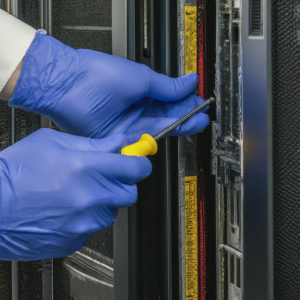
At On-Site Louisville Computer Repair Company, we understand that industrial computers are the backbone of manufacturing, production, logistics, and automation. When technology fails, it can bring your entire operation to a halt—costing valuable time and money. That’s why we provide specialized industrial computer repair services designed to get your computer systems for your industrial facility running again quickly and reliably. We have experience with complicated industrial computer problems. When other companies struggle with the complicated computer service issues associated with industrial technology On-Site Louisville Computer Repair Co. steps in the save the day.


Why Choose Us for Industrial Computer Repair?

  • 30 Years of Experience – Adn, repairing the tough businses computer problems that internal IT departments and other firms fail on.
  • Same-Day Service Available – Emergency calls answered until midnight, 7 days a week, including weekends and holidays.
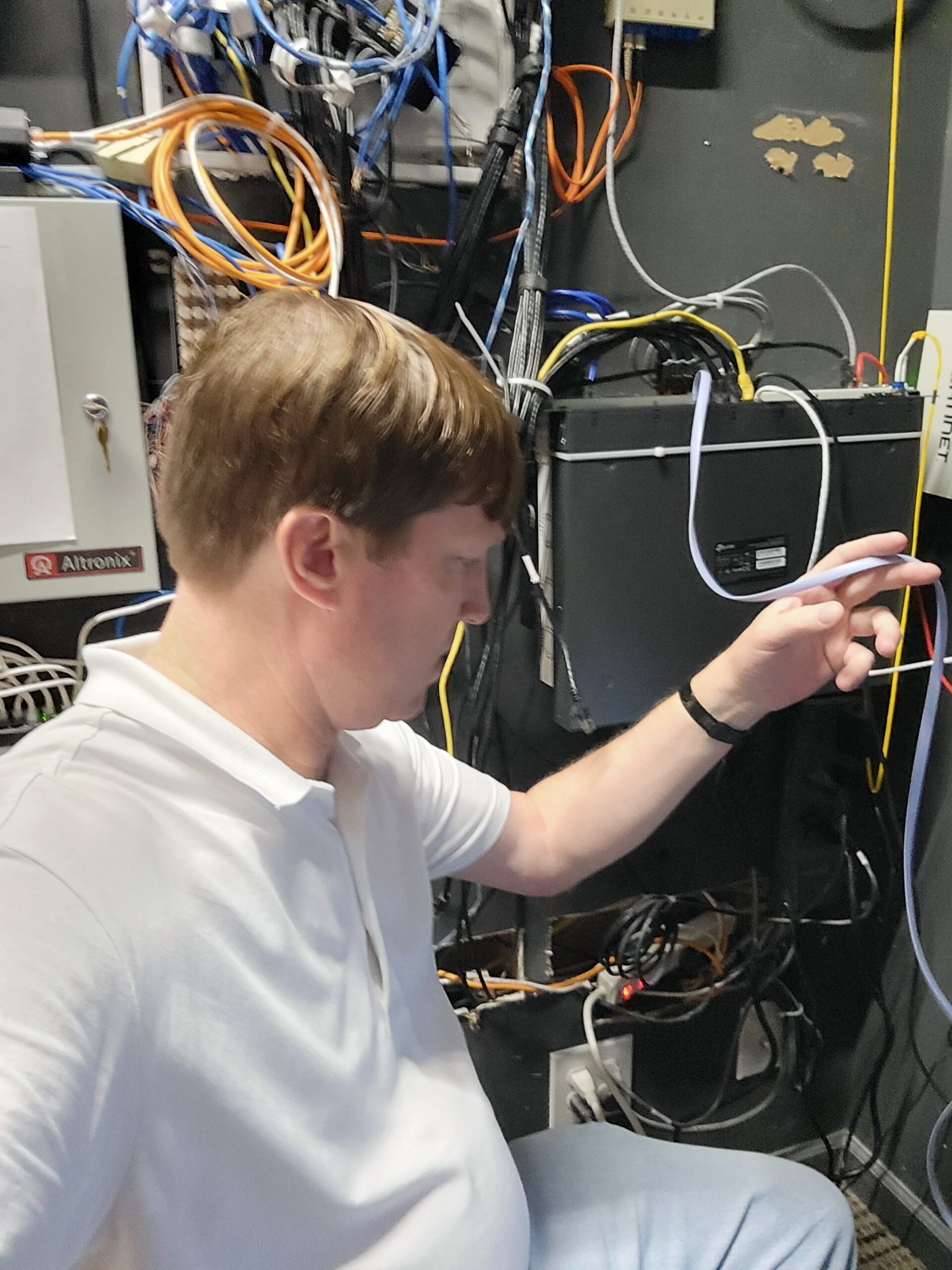
  • Specialized Knowledge – We can fix ruggedized PCs, ceiling-mounted access points that require a scissor lift, aerial network runs, wireless signal density issues, industrial barcode scanners, embedded systems, domain controllers, programmable logic controller (PLC) interface computers, factory workstation terminals, machine control computers, industrial touchscreen PCs, warehouse inventory systems, point-of-sale terminals, industrial printers, network switch failures, fiber optic network links, access control computers, security camera NVR systems, and other industrial-grade computers.
  • On-Site or Pickup & Delivery – We come to your facility, or you can arrange for secure pickup and delivery of equipment.
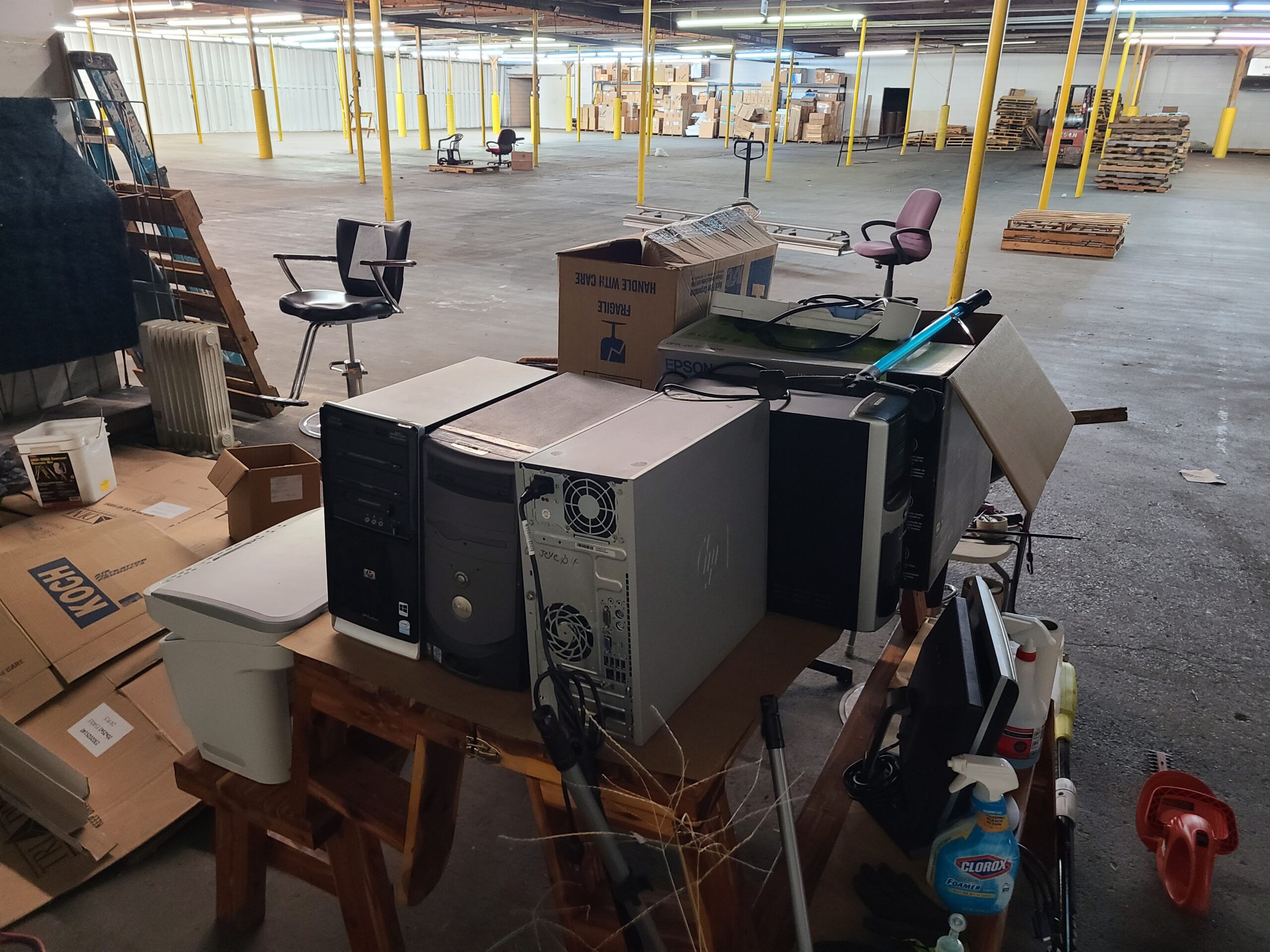
Common Industrial Computer Services We Offer:

  • Hardware Repairs & Replacement – Power supplies, fans, motherboards, industrial-grade connectors. We service computers for office or computers in the industrial plant or assembly line.
  • Dust & Contaminant Cleaning – Deep cleaning to remove dirt, dust, and debris that shorten computer lifespan.
  • Operating System Support – Windows, Linux, and proprietary industrial OS installations and recovery.
  • Data Recovery & Backup Solutions – Recover critical production data from failed drives.
  • Preventive Maintenance – Scheduled inspections to minimize downtime and extend equipment life.
  • Networking & Security – Industrial networks, secure remote access, and system hardening. We have done scanners also for pick and pack operations for warehouses. Also, expert at signal expansion for large areas.

Industries We Serve:
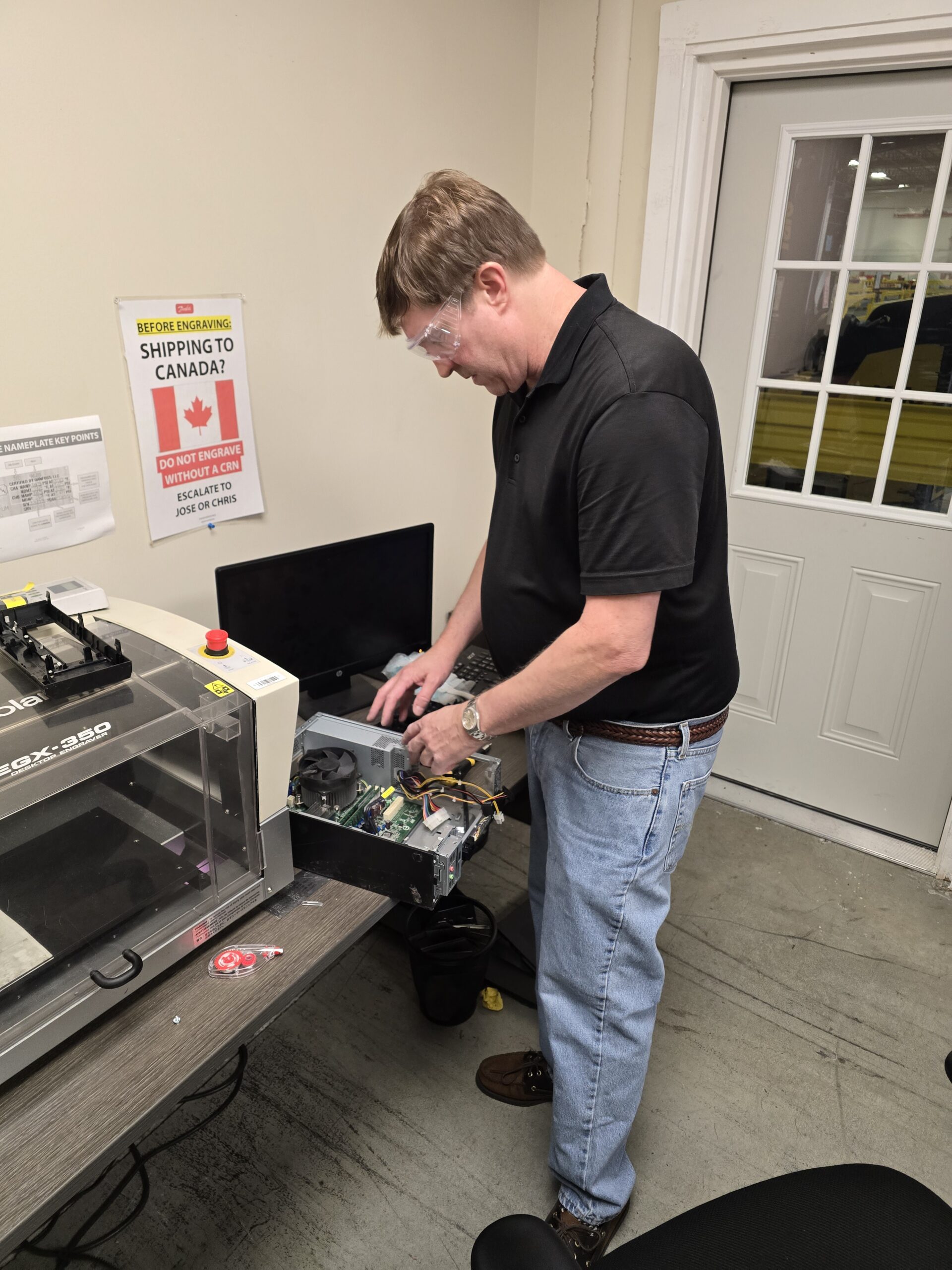
  • Manufacturing & Production
  • Warehousing & Logistics
  • Food & Beverage Processing
  • Healthcare & Medical Equipment
  • Construction & Engineering
  • Transportation & Fleet Management

Emergency Industrial Computer Service


When downtime isn’t an option, call (502) 963-3981 for fast, on-site industrial computer repair. We respond quickly to get your operations back online, helping you avoid costly delays.


Contact us today to schedule your Industrial Computer Repair service in Louisville, KY and surrounding areas.

IT Services


Louisville IT Services for Small and Medium-Sized Businesses
 

We have hundreds of small business clients in Louisville, KY. At On-Site Louisville Computer Repair Company, we specialize in providing IT services for small businesses in Louisville, KY and the surrounding areas. We understand that small and medium-sized businesses face the same technology challenges as larger companies—without the budget for a full-time IT staff. That’s where we come in. It’s easy to understand not all small businesses can afford 100k for a dedicated in house IT person.


We provide IT Services for Office, Retail, Industrial, Hotel, Non-profit, Goverment and Any Other Organization. We do single location, multilocation and even multistate. We have been a first responder for McDonald’s all over the state of Kentucky and Indiana, including many other large customers’ IT services over the years.


We deliver outsourced affordable, reliable, and local business IT support designed to keep your technology secure, efficient, and running smoothly. That way you can stay focused on delivery the customer service you desire and not on your tech.


Why Do Louisville Businesses Choose Us?

  • 30+ years of experience supporting Louisville businesses

  • Same-day service for urgent IT problems

  • On-site, in-office, and remote support options

  • Affordable business IT solutions tailored to SMBs

  • The ability to handle the hard problems.  We can solve diffiult problems that other IT guys can’t. Plain and simple. Every month we get calls where in house IT, and numberous others have failed at a repair and we can figure it out.

Our Business IT Services


Managed IT Support in Louisville

Think of us as your outsourced IT department. We handle:

  • Help desk support for everyday computer issues

  • Proactive system monitoring

  • Regular maintenance and tune-ups

Business Network Setup & Security

A fast, secure network is the backbone of your business. We provide:

  • Wired & wireless network installations

  • Firewall setup and router configuration

  • Cybersecurity and intrusion prevention

  • Data backup and disaster recovery services

Cloud IT Services for Small Businesses

Move away from costly servers and into the cloud:

  • Cloud storage and secure file-sharing

  • Business-class email hosting and migration

  • Collaboration tools for remote teams

Business Continuity & Data Protection

We protect your critical business data with:

  • Ransomware defense and cybersecurity monitoring

  • Automated backups

  • Disaster recovery planning to minimize downtime

Computer & Software Support

From repair to setup, we keep your office technology reliable:

  • PC and Mac repair and upgrades

  • New computer setup and configuration

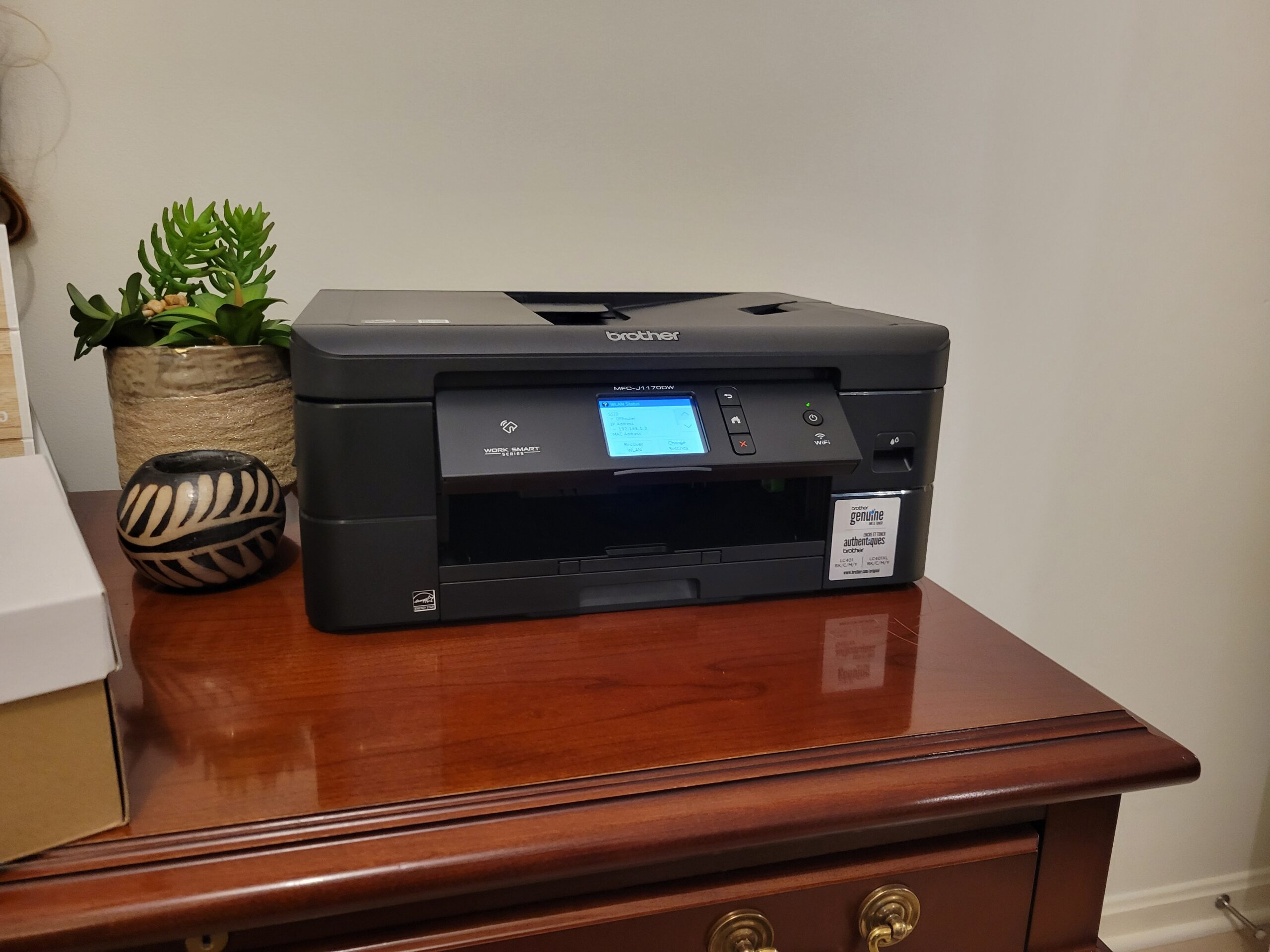
  • Printer troubleshooting and installation

  • Business software support

IT Consulting for Louisville Businesses

Not sure what IT solutions your business needs? We’ll design a custom IT plan that fits your budget and supports your long-term growth.


Who We Serve


Our Louisville IT services are designed for:

  • Professional offices (law firms, accounting firms, insurance agencies)

  • Retail shops, restaurants, and small businesses

  • Healthcare providers and senior living facilities

  • Construction and small manufacturing companies


Local IT Support You Can Count On


Whether you need emergency IT repair in Louisville or a long-term IT partner, On-Site Louisville Computer Repair Company keeps your business technology secure, cost-effective, and reliable.


Call us today at (502) 963-3981 for Louisville business IT services and same-day support.


Business IT Support, Upgrades, Consulting & IT Services

Are you sick and tired of calling your slacker IT guy and not getting an answer or immediately callback? THe first thing you have to do is answer the phone. And, at On-Site Louisville Computer Repair Company, we specialize in delivering top-tier business IT support, upgrades, and consulting services to businesses in Louisville, KY, and the surrounding areas. We make the smart recommendations and fixes to keep your business on track. Available until midnight, 7 days a week—including Saturdays, Sundays, and holidays—we are your trusted partner for all your business technology needs. Whether you’re facing a sudden IT emergency or planning for long-term growth, we are here to ensure your systems are running smoothly, securely, and efficiently.


Why Choose Us for Your Business IT Needs?

  • Extended Hours: Available until midnight, every day of the week—including weekends and holidays.
  • Emergency On-Site IT Support: We provide rapid on-site response for critical IT issues to minimize downtime and keep your business running.
  • Experienced Professionals: With over 30 years of experience, we bring expertise and reliability to your IT infrastructure.
  • Comprehensive Services: From hardware repairs to advanced network configurations, we handle it all.
  • Always Available: We answer the phone every time you call. Reach us at (502) 963-3981.


Comprehensive Business IT Services

 
Businesses of all sizes rely on us for a wide variety of IT services, including but not limited to:

  1. Server setup, maintenance, and troubleshooting
  2. Network design and optimization
  3. Cloud migration and management
  4. Data backup solutions and disaster recovery planning
  5. Hack remediation and cybersecurity
  6. Security planning and compliance audits
  7. Virus and malware removal
  8. Firewall configuration and management
  9. Microsoft Office troubleshooting and support
  10. New equipment planning and installation
  11. Printer and peripheral setup
  12. Wi-Fi network installation and troubleshooting
  13. Remote access solutions
  14. VPN configuration and support
  15. VoIP phone system setup
  16. Hardware upgrades (PCs, laptops, servers, etc.)
  17. Operating system updates and patches
  18. Software installation and configuration
  19. Database management and support
  20. Custom software recommendations
  21. IT consulting and strategic planning
  22. Inventory and asset tracking solutions
  23. E-commerce platform support
  24. Website hosting and management
  25. Email setup and troubleshooting
  26. Cloud storage setup and syncing
  27. Collaboration tools setup (e.g., Slack, Teams)
  28. Remote desktop setup and support
  29. Data recovery from damaged devices
  30. Password management solutions
  31. Endpoint security management
  32. IT policy development for employees
  33. Internet speed optimization
  34. Server virtualization solutions
  35. Mobile device management (MDM)
  36. Custom app development and integration
  37. Point-of-sale (POS) system support
  38. IT training for employees
  39. Troubleshooting application errors
  40. Shared drive setup and permissions management
  41. Backup power supply (UPS) solutions
  42. Smart office integration
  43. Office relocation IT planning and execution
  44. IT inventory lifecycle management
  45. IP camera and surveillance system setup
  46. Unified communications setup
  47. Vendor management for IT hardware/software
  48. IT cost analysis and budgeting
  49. Remote monitoring and management
  50. Cloud-based accounting software setup
  51. Enterprise resource planning (ERP) solutions
  52. Supply chain software integration
  53. Database migration and optimization
  54. Patch management for applications
  55. Advanced diagnostics for slow systems
  56. Server rack installation and cabling
  57. Internet of Things (IoT) device integration
  58. Cybersecurity awareness training
  59. Regulatory compliance consulting (HIPAA, PCI)
  60. Custom reporting and analytics dashboards
  61. SSD and memory upgrades
  62. Desktop virtualization setup (VDI)
  63. E-mail archiving and compliance solutions
  64. Active Directory configuration and management
  65. Network cabling and low-voltage wiring
  66. Backup server setup and management
  67. RAID configuration and troubleshooting
  68. Software license management
  69. CRM system support and integration
  70. Knowledge base and documentation solutions
  71. Chatbot and AI integration for customer support
  72. Digital signage installation and management
  73. High-performance computing setup
  74. Gaming workstation configuration for businesses
  75. Cyber threat detection and response
  76. Penetration testing for network security
  77. Hybrid cloud solutions
  78. Wireless access point optimization
  79. Collaboration hardware setup (smartboards, etc.)
  80. Multi-monitor setups for workstations
  81. IT infrastructure audits
  82. Remote team productivity solutions
  83. Virtual event technology support
  84. Digital transformation consulting
  85. Performance tuning for databases
  86. Mobile app testing and debugging
  87. Content delivery network (CDN) integration
  88. Disaster recovery drills and simulations
  89. Spam filtering and email protection
  90. Multi-factor authentication (MFA) implementation
  91. Software testing and quality assurance
  92. IT support for mergers and acquisitions
  93. Workflow automation tools setup
  94. AI and machine learning infrastructure
  95. Backup internet solutions for redundancy
  96. Open-source software recommendations
  97. Custom IT solution development
  98. Wearable device integration
  99. Time tracking and workforce management tools
  100. Proactive system health monitoring


Contact Us Today

When your business technology needs expert attention, don’t wait. Call On-Site Louisville Computer Repair Company at (502) 963-3981. Our team is ready to provide the Louisville Small Business IT consulting, upgrades, and support services you need to stay ahead in today’s competitive business landscape. Let us help you build a reliable, secure, and scalable IT infrastructure tailored to your unique business needs.

Home Office Computer Setup and Optimization


Work Smarter with a Professional Home Office Setup and Optimization

 
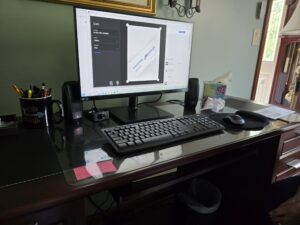
In today’s work-from-home world, having a fully optimized home office is essential for productivity and efficiency. At On-Site Louisville Computer Repair Co., we offer professional home office setup services designed to help you create a seamless, ergonomic, and highly productive workspace.
 
Whether you’re setting up your first home office, upgrading to your dream dual monitors or getting a printer set up —  we can ensure that every aspect of your computer setup meets your work needs.
 
 
Why Optimize Your Home Office?

  • Increased Productivity: An organized, efficient workspace reduces distractions and maximizes your productivity.
  • Ergonomics: Properly positioned monitors, keyboards, and chairs reduce strain and improve comfort during long work hours.
  • Faster Connectivity: Wired Ethernet installations, Wi-Fi optimization, and network setups keep you connected to your clients, colleagues, and projects without interruptions.
  • Security: We set up secure networks and devices to protect your sensitive work data from unauthorized access.

Our Home Office Setup Services


  1. Initial Consultation: We discuss your specific work requirements, whether it’s dual monitors for multitasking, a fast internet connection for video conferencing, or a streamlined setup for creative work.
  2.  

  3. Hardware Setup: We help you choose and install the right computer, monitors, printers, and peripherals that fit your workspace and business needs.
  4.  

  5. Network Optimization: Our team will set up high-speed, secure Wi-Fi or wired Ethernet connections to ensure reliable and uninterrupted internet access.
  6.  

  7. Ergonomic Configuration: We position monitors, desks, and other equipment to provide an ergonomic environment that reduces physical strain during long working hours.
  8.  

  9. Software Setup & Security: From installing office productivity software to configuring data backup systems and securing your network, we handle it all.
  10.  

  11. Ongoing Support: After your setup is complete, we offer ongoing technical support, troubleshooting, and system upgrades to keep your home office running smoothly.

 
 Transform Your Home Office Today!
 
Whether you’re upgrading your current home office or starting from scratch, On-Site Louisville Computer Repair Co. is here to help. Call us at (502) 963-3981 or visit to schedule your home office setup and optimization service today.

Cloud Computing & Server Migration Services


Welcome to On-Site Louisville Computer Repair Company’s cloud computing services page. We specialize in helping small businesses in Louisville, KY, transition from expensive file server equipment to the efficient and scalable world of cloud computing. Say goodbye to costly hardware maintenance and hello to enhanced productivity and flexibility with our expert cloud solutions.

 
Why Move to the Cloud?
 
Cost Savings
 
Reduce Hardware Costs: Eliminate the need for expensive file servers and associated maintenance.
Lower IT Expenses: Decrease IT overhead by leveraging cloud infrastructure.
 
Scalability
 
Grow with Your Business: Easily scale your cloud resources up or down based on your business needs.
Flexible Solutions: Adjust storage and computing power without investing in new hardware.
 
Accessibility
 
Work from Anywhere: Access your data and applications securely from any location.
Real-Time Collaboration: Enable your team to collaborate in real-time, improving efficiency and productivity.
 
Security
 
Enhanced Protection: Benefit from advanced security measures and regular updates provided by cloud service providers.
Data Backup: Automatic backups ensure your data is safe and recoverable.
 
Our Cloud Computing Services
 
Cloud Migration
 
Assessment and Planning: We assess your current IT infrastructure and create a customized migration plan.
Seamless Transition: Ensure a smooth transition with minimal downtime and disruption.
 
Cloud Storage Solutions
 
Secure Storage: Store your files securely in the cloud with scalable storage options.
Data Management: Easily manage and access your data from anywhere.
 
Cloud-Based Applications
 
Software as a Service (SaaS): Implement cloud-based applications that cater to your business needs.
Collaboration Tools: Utilize tools like cloud-based email, document sharing, and project management software.
 
Managed Cloud Services
 
24/7 Support: Our team provides continuous support to ensure your cloud environment runs smoothly.
Maintenance and Updates: We handle all maintenance, updates, and security patches.
 
Custom Cloud Solutions
Tailored to Your Needs: We design cloud solutions that fit your specific business requirements.
Integration: Integrate cloud services with your existing systems for seamless operation.
 
Why Choose On-Site Louisville Computer Repair Company?
 
Expert Technicians: Our team consists of experienced professionals with deep knowledge of cloud technologies.
Customized Solutions: We provide tailored cloud solutions to meet the unique needs of your small business.
Reliable Support: Enjoy peace of mind with our reliable support and maintenance services.
Local Service: As a Louisville-based company, we understand the needs of local businesses and offer personalized service.
 
Contact Us
 
Ready to take your small business to the next level with cloud computing? Contact On-Site Louisville Computer Repair Company today to discuss your needs and schedule a consultation.
 
Let On-Site Louisville Computer Repair Company help you harness the power of the cloud for greater efficiency, flexibility, and cost savings. Get in touch with us today!

Emergency IT Support Small Business Computer Services


Don’t Lose Business – Get On-Site Emergency IT Support Now!
 

Is your Louisville-area small business experiencing a computer meltdown? Don’t panic! On-Site Louisville Computer Repair Company is here to provide rapid response emergency IT support and get your business back online fast.


We understand that downtime costs money. That’s why we offer on-site repairs within a 60-mile radius of Louisville, KY, minimizing disruption and getting your team productive again ASAP.


Here’s How We Can Help:


Our highly skilled technicians specialize in resolving a wide range of emergency IT issues that can cripple your business, including:


  • Server Crashes: Down server? We’ll diagnose the problem and get your critical data accessible again.
  • Network Outages: No internet or network connectivity? We’ll troubleshoot the issue to get your communication flowing.
  • Critical Software Malfunctions: Essential software crashing or misbehaving? We’ll identify the problem and find a solution.
  • Outlook Woes: Emails failing to send or receive? We’ll get your essential communication tool back on track.
  • Data Loss Fears: Suspect data loss? We’ll assess the situation and explore recovery options.
  • Computer Won’t Start: From faulty hardware to corrupted software, we’ll identify the culprit and get your device booting up.
  • Virus and Malware Attacks: We’ll remove threats and ensure your systems are protected.
  • Performance Issues: Is your network slow or your system sluggish? We’ll diagnose the slowdown and optimize your IT infrastructure.

Beyond Emergency Repairs:


We exist to help businesses that are small enough they cannot afford an IT company but are on a growth trajectory where they need IT support. We offer a complete suite of IT services to keep your small business running smoothly, including:

  • Preventive maintenance
  • Network security solutions
  • Data backup and recovery plans
  • Cloud computing services
  • Hardware upgrades and replacements

Why Choose On-Site Louisville?

  • Fast Response: We prioritize emergency calls and dispatch a technician immediately.
  • Experienced Technicians: Our team is highly trained and certified to handle complex IT issues.
  • Transparent Communication: We’ll keep you informed every step of the way.
  • Affordable Solutions: We offer competitive rates and flexible billing options.
  • Guaranteed Customer Satisfaction: We stand behind our work with a 100% satisfaction guarantee.

Don’t Let IT Problems Slow You Down!


Call us now at (502)963-3981 for immediate assistance. Our live support team is available 24/7 to take your call and dispatch a technician within the Louisville area and surrounding 60-mile radius.


Remember, every minute counts! Minimize downtime and keep your business running smoothly with On-Site Louisville Computer Repair Company.

Used, New & Refurbished Computers

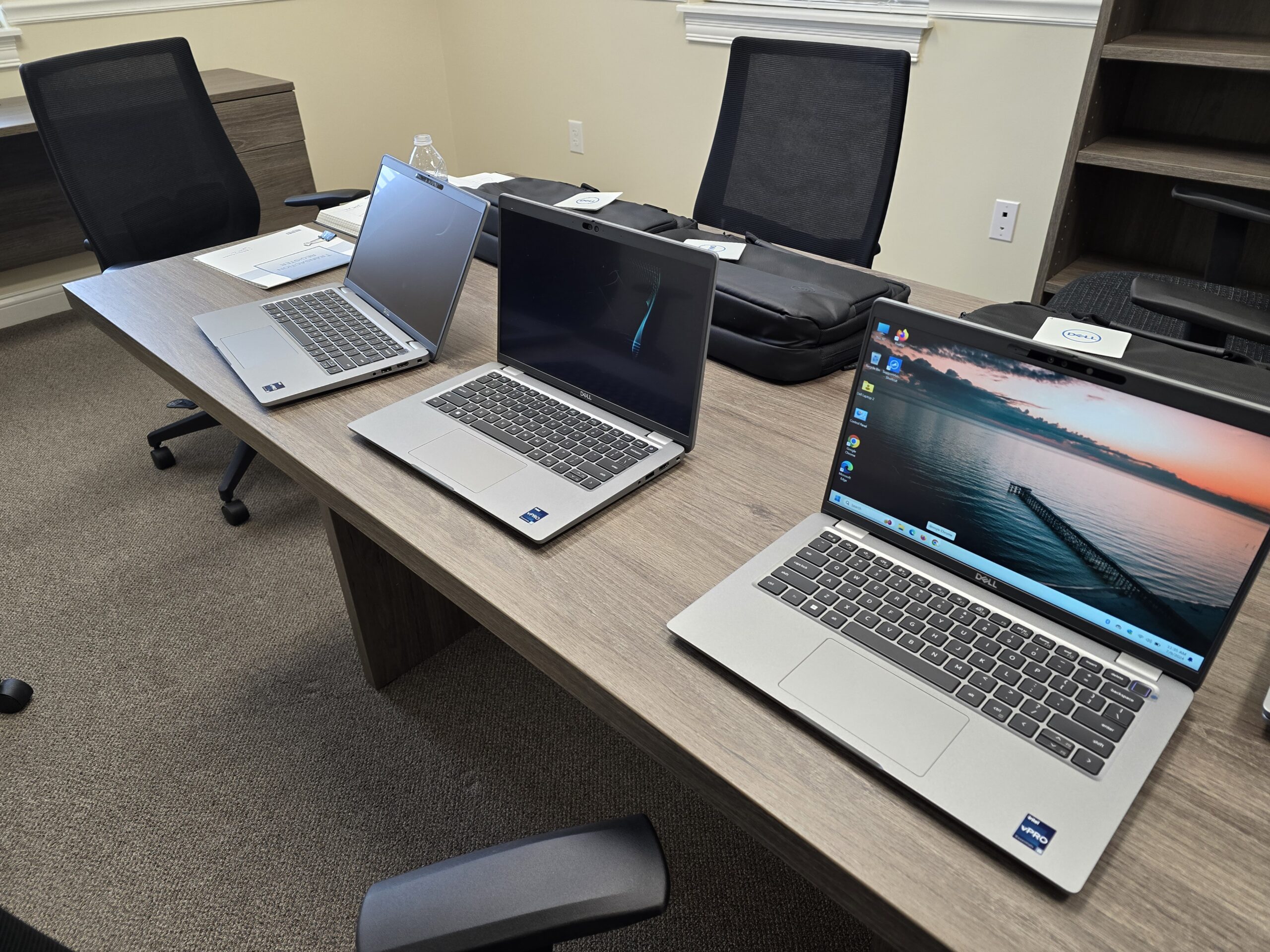
At On-Site Louisville Computer Repair Company, we understand that choosing the right computer is a personal decision based on your needs and budget. That’s why we offer a range of options to fit every preference. Whether you’re looking for the latest new model with cutting-edge features, a reliable refurbished system that offers excellent value, or a budget-friendly used computer, we have you covered. New computers provide the latest technology and warranties, refurbished models are professionally restored for quality and savings, and used options are a cost-effective choice for basic needs. Whatever your preference, we’re here to help you make the best decision.


Why Choose Used or Refurbished?


  • Affordability: Get the performance you need without the premium price tag.
  • Eco-Friendly: Extend the life of quality electronics and reduce e-waste.
  • Reliability: Our technicians thoroughly inspect and test every machine.
  • Warranty: Enjoy peace of mind with our standard warranty on all used and refurbished systems.


Our Services Go Beyond the Sale


  • On-Site Setup: We’ll deliver and configure your new PC in your home or office.
  • Printer & Peripheral Hookup: Get all your devices connected and working seamlessly.
  • Personalized Lessons: We’ll provide one-on-one instruction tailored to your skill level.
  • Ongoing Support: We’re here to help with any questions or issues that arise.


4 Questions to Answer Before Purchasing a Computer

 
A computer is a significant investment for most people, so it’s worth the time to fully investigate all the options and make the best decision. Not all computers are suitable for all needs. Your computer purchase should be a good fit for both your budget and your requirements.
 
1. How will the computer be used? Consider what you need the computer to do, and then look for a computer with the proper specifications.
 
• Will you be traveling with the computer? If so, a desktop might be a little cumbersome.
 
• Will the computer be used for graphics or large spreadsheets? A large monitor is probably needed.
 
• What software will the computer need to run? Modern software might not run on an older computer. Is the software 64-bit? You’ll need a 64-bit computer/operating system.
 
• What does the future hold? Are your computer needs likely to grow significantly in the future? It might be less expensive in the long run to purchase a more powerful computer now.
 
2. What are the specific capabilities you require? Consider these items:
 
• Processing speed: The CPU is the single most important factor in determining the power of a computer. In nearly all cases, a faster processor equals a faster computer.
 
• Memory: The amount of RAM in your computer system also increases the capability of your computer, including the speed, up to a certain point.
 
• Hard drive capacity: If you’re storing a large number of large files, a larger drive will be needed. While text files tend to be quite small, photos, videos, and software programs can require a lot of disk space. Solid-state drives are becoming popular; they have no moving parts, make less noise, and are faster. They also cost quite a bit more.
 
• Networking ability: Most computers are equipped with both an Ethernet port and a wireless card or adaptor. Having Bluetooth will permit your computer to connect to wireless devices, such as a printer; however, Bluetooth does not provide direct Internet access.
 
• Other considerations: Also be sure to consider your needs for the following items: graphics card, ports, and additional drives (e.g. optical).
 
3. Do you need a new computer? In many cases, a used or refurbished computer can be the best option. Most users rarely need the latest technology. Refurbished computers can be a less expensive option that still provides all the needed capability. However, there are times that a new computer is the only logical choice.
 
4. Laptop or Desktop? It’s not just an issue of convenience and portability. Laptops are more expensive for comparable computing capabilities. Desktops are easier to repair and upgrade. And, desktop systems can be purchased with significantly larger monitors.
 
There are many things to consider before purchasing a computer. Ensure you’re aware of your needs before investing your money. Making the right decision will save time, money, and frustration.


For more information on new, used, or refurbished computers in Louisville, KY give us a call now at (502) 963-3981 for a free phone consultation. 

Computer Services


Home Service
Computer Services – A Full Computer Service Company
 

Whatever you can imagine going wrong with your technology, we’re here to fix it. From printer problems and software issues to power supply trouble and router swaps, we’ve got you covered. Our professional techs have performed hundreds of break/fix server repairs and a myriad of various other business service calls. We have the experience and expertise to solve any computer technology problem you may have.


Once your hardware or software is repaired, we can even reconfigure your entire IT system with new free software and put all your company data back in place. Whether you need a router or virus removal, no problem you may have with your business technology is too big or too small for us. On-Site Louisville Computer Repair Co. can be your one-stop shop for on-site business computer service in Louisville, KY and surrounding areas.
 

Some business computer services we provide:

  • Network setup and management
  • Hardware procurement and installation
  • Software installation and configuration
  • IT helpdesk and technical support
  • Data backup and recovery
  • Cloud computing services
  • Virtualization solutions
  • Cybersecurity services and solutions
  • Firewall setup and management
  • Network monitoring and maintenance
  • Server administration and maintenance
  • Email hosting and management
  • VoIP (Voice over Internet Protocol) services
  • Website development and hosting
  • Domain name registration and management
  • Database design and management
  • Remote desktop services
  • IT consulting and technology planning
  • IT project management
  • Mobile device management (MDM)
  • Internet connectivity and WAN optimization
  • Network infrastructure design and implementation
  • VPN (Virtual Private Network) setup and management
  • Software licensing and compliance management
  • Software updates and patch management
  • Disaster recovery planning and testing
  • Network security audits
  • Malware and virus protection
  • Intrusion detection and prevention
  • Data encryption services
  • IT asset management
  • Printer and peripheral device support
  • Unified communications solutions
  • Video conferencing services
  • Business process automation
  • Data analytics and business intelligence
  • IT training and user education
  • Social media management tools and services
  • Customer relationship management (CRM) software
  • Enterprise resource planning (ERP) systems
  • Point of sale (POS) systems
  • Inventory management software
  • Supply chain management software
  • Human resources management software
  • Accounting and financial management software
  • Time tracking and project management tools
  • Document management and collaboration tools
  • Virtual private server (VPS) hosting
  • Dedicated server hosting
  • Content delivery network (CDN) services

We can set you up to do break/fix calls on your current systems or help you transition to a more reliable and efficient IT environment. Our team works closely with your business to ensure minimal downtime and maximum productivity, no matter the size of your operation.


Because of our established relationships with trusted technology vendors and suppliers, we can often provide cost-effective solutions tailored to your needs. Let us show you your options for upgrades, replacements, or ongoing IT support so your business technology runs smoothly and securely.

SEO – Search Engine Optimization

SEO Louisville, KY


 SEO Louisville

There are few things more frustrating than building or paying for a website and not making it onto the first or second page of the search results. There are many reasons a website can be lost in the noise of the Internet. SEO or Search Engine Optimization is about getting your website to show up in search results. For those trying to get their business to show up it can be an expensive proposition to show up in search results in terms of not only money but time and energy, as well. To make matters worse there are hundred of ranking factors and they are not released by the search engines. One can only “guess” what they are supposed to do. Search Engine Optimization Companies study and conduct research on search engine results in an attempt to quantify what is necessary for a website to rank. Here are some basics that SEO Services have identified and agree are essential. . . .
 

The First Step . . . . Make A Website

 
Chris Calkins SEO Louisville, KY
 
First, you have to have a website. Think of your website as your primary residence on the internet. After that, you need the following (and many more) elements on that site:
 
Keywords: One of the primary tools that search engines utilize to determine the relevance of your website vs what the searcher is looking for are keywords. In general terms, does your website contain the vocabulary that is relevant to the topic? For example, if your website is about weight loss, the search engines might expect to see the words/terms weight loss, diet, exercise, fat, muscle, cardio, carbohydrates, goal and so on. Keyword ideas can be found from any of the numerous keyword tools available online. Avoid keyword stuffing though; look it up.
 
Images: The search engines want to find the best webpages. Regardless of age, people enjoy looking at pictures. Be sure you’re using images on your webpages. Also be sure you have ALT attributes on your images.  That is the name of the image when hovered over by a mouse.  Keep the number of images reasonable. Google is succeeding at developing a method for analyzing images better and identifying the content on the image.
 
Currency: It’s important to continuously add content to your website. The search engines like to see that your website is staying current and that you’re attempting to add some real value to the search engine. A dead website will eventually slip down in the rankings. Keep a schedule, be consistent and stay on top of your website content.
 
Backlinks: Backlinks are not “on your website” rather they point at it from other websites.  Backlinks are basically a vote. But it’s not just the number of backlinks that matters; it’s also the quality of the backlinks. A link to your website from Harvard University will be given more credibility than a link from a less prestigious source. Be sure to earn backlinks by providing quality content to credible sources. Do not “place them.” If credible sources like your content they may feature it on their website.
 

Second….Claim Your Local Listings

 
Google My Business: There’s an excellent chance that Google has already found your business and created a rudimentary listing for you. To claim your listing:
 
→Sign into (or create) a Google account. A Google account is free; so don’t be concerned if you don’t have one. Search for your business with your city and state in the search criteria. You’ll be looking for your business with a pink balloon by it. If you see it, Google already knows your business exists.
→You will be given options to verify that the listing is yours. This is done by phone or postcard. The phone is much faster! You can then edit the listing. While you can edit the listing prior to the verification process being completed, the edits will not take effect until after the verification. ll be able to fill out the simple form online.
→Again, the listing will have to be verified. You wouldn’t want a competitor claiming or creating your listing.
 
Yahoo Local: Yahoo provides a similar service called Yahoo Local.
→Again, you’ll need an account with Yahoo. It’s also free. You’ll again be given the opportunity to claim an existing listing or to create a new listing.
→Either way you’ll have to wait for a verification via mail. When you receive a verification code in the mail it will give you a website address where you can verify your listing. Simply enter the code.Be sure to complete the entire listing. This includes a photo, hours, payment options, contact information, etc. You can also include information about your products and services.
 
Bing Places: Bing’s local listing service is called ‘Bing Places’.
→Of course, a free Microsoft account is needed.
→Search for your business. If you can find it, go through similar process to claim your listing. If you can’t find it, which is common for Bing Places, you’ll have to create a listing.
→Click the link above to visit Bing Places for Business
 

 Third. . . .Develop Your Web-wide Presence


There are hundreds of ranking factors for appearing in search results but once you’ve accomplished the basics:  you have a website, have the basic SEO elements on your website, and have claimed your local listings you need to develop your web wide presence, further.  There are many small internet properties you need to have your site listed on. These are called Internet Directories.  Sites like YP.com, Mojo Pages, Whitepages, Foursquare, Local.com and Manta will let you list your sites in their directory for free. Your company information should be consistent and up to date across the entire internet ecosystem.


Fourth . . . Create Your Social Media


In my opinion, you,  or someone within your company should be responsible for your social media listings.   No one is going to take the care  in developing these that you will.   The big sites you need to have a business page for are: Google+, Twitter, Facebook, Pintrest, and LinkedIn. Here you can connect with other local business and customers and interact on a local basis.  You can post updates, sales, and other information about your business and start to develop online relationships locally and around the world.

 
Glossary of SEO Terms
 
It’s hard to speak any language effectively if you don’t know the relevant terminology. Over time the SEO field has developed its own unique vocabulary. With a few minutes of reading, you’ll know the language necessary to be able to speak intelligently with any SEO expert.
 
Alexa: You’ve probably heard of Alexa rankings. This free service measures traffic for many websites. You can see how you rank compared to your competitors or conduct other relevant research at the Alexa website.
 
Anchor Text: The text on a webpage that is clicked to follow a hyperlink — often underlined differentiated by color.
 
Authority: This is the ability of your website or web page to rank effectively with the search engines based on the perceived knowledge you or your company has in your field.
 
Black Hat SEO: These are SEO practices that the search engines consider to be underhanded. Each search engine has its own set of guidelines. For Google they publish a digital document called “Google Webmaster Guidelines.”  If you’re outside the guidelines, it’s considered to be ‘Black Hat SEO’ and you are subject to various penalties.
 
Broken Links: This is simply a hyperlink on a webpage that isn’t functioning properly. In most cases, the target of the link has been removed and one clicking the hyperlink is directed to a webpage that gives a “404 error” meaning it no longer exists.
 
Conversion: A conversion is an impression that turns into a click.
 
De-Listing: The term for having your website either permanently or temporarily de-indexed from one or more directories or search engines. That is to say, removed from search engine results.
 
Domain Age: Many search engines and social networks consider the age of a website, page, or domain in determining relevance, trustworthiness, etc. Having an older domain is usually advantageous but not always. There are many factors in ranking of which “age of domain” is simply one. It is not unusual to see a new high quality website outrank an old, mid-quality one.
 
Duplicate Content: Similar to plagiarism, duplicate content is content on your website that too closely mimics content on other websites.
 
External Link: A link of your website that links to another website.
 
Impression:  An impression is a unit of measurement that counts as one appearance of your website or a page on your website in search results.
 
Internal Link: A link to another page on the same website
 
Keyword: A search term or phrase you think users might type into search engines to find goods, services, or content.
 
Keyword Density: The frequency a specific keyword appears in web content; usually described as a percentage.
 
Keyword stuffing: Using a keyword on a webpage in an unnatural manner and at a frequency considered excessive by the search engines.
 
Landing Page:  The webpage a searcher lands on when they click a title/description in search results – usually the home page or “page one” of a website.
 
Long-Tail Search Criteria: Typically longer, more specific search terms for a given topic, for example:  “24/7 locksmith service in Chicago, ill” vs. “Chicago locksmith.”
 
Niche: The main subject matter of a particular website. For example, a website might be in the high-end wine or baby toy niche.
 
Nofollow: These are links that prevent any link authority from being passed to the link object. For example, most forum comment or blog comment links are nofollow.
 
Organic Search Results: These are the search results that naturally appear on search engines that are neither part of the paid or local result.
 
Page Rank: A logarithmic means of ranking web content.
 
Relevancy: The ratio of accuracy between search intention and search result.
 
SEO:  short for “Search engine optimization” is the science and art of making a website or web page attractive to both search engines and users.
 
Search Criteria:  The word or string of words one types into a search engine in an attempt to yield a desired search result.
 
SERP: Search engine results page or the list of abstracts one sees after entering search criteria into a search engine search box.
 
Site Map: A site map provides an alternate means for search engines to crawl and interpret a website.
 
User Sitemap: An intra-site map which serves as a “table of contents” to help user navigate a website.
 
URL: Uniform Resource Locator often referred to as simply web address.  Each webpage on the internet has its own unique URL.
 

Call Us, Today To Discuss Your Internet Marketing and SEO


It’s not easy keeping up with all the sweeping changes in the competitive world of Search Engine Optimization. In fact, today it should not be called search engine optimization at all. It should be called “customer optimization.” The search engines such as Google, Bing and Yahoo are getting smarter all the time and they don’t allow many old SEO techniques which are called “webspam” now. You may not be aware that many methods companies used to employ for SEO may hurt your ranking status now. Today, proper SEO is all about adding quality and value on the world wide web. Google states in webmaster guidelines that you should “Make pages primarily for users, not for search engines.” This is the shift we try to help our clients understand. We want to focus on the technical aspects of your website, yes but more importantly we want to provide real value and content for your customers so you’ll become relevant in your industry, naturally.

 
At On-Site Louisville Computer Repair Company we’ve learned this lesson, adapted to it, and we’re ready to pass on our knowledge to you and help your website thrive in the new virtual search environment. If you need an SEO Consultant we are here to help you sift through the mounds of information and make sense of it all and boost your website’s search performance. Whether you’re interested in paid, local or organic search performance you can call us to discuss your Search Engine Optimization in Louisville, KY or anywhere so when people look for your services online — they can find YOUR Company — not just your competitors.

Installations

uk-call-center

We do every kind of computer system installation to suit your business technology needs. We’ll install workstations, phone systems, networks, servers and POS systems according to the requirements of your business environment.
 
Whether you need a simple set-up with a two workstations or a more complicated installation involving rack servers or even a camera system, we’re ready to help your business function at its best. No matter how big or small your needs are, we have you covered.
 
Enhancing Efficiency and Unleashing Potential: How Computer Service Providers Elevate Business Systems For Customers Today
 
Introduction:
 
In today’s digital age, businesses heavily rely on computer systems to improve day-to-day operations, streamline processes, and achieve ultimate efficiency. However, as technology evolves rapidly, ensuring that computer systems and software remain up-to-date becomes imperative for staying competitive. This article explores the role of computer repair or service companies and IT departments in updating computer systems and software at businesses, emphasizing their ability to provide unique solutions tailored to their clients’ needs.
 
Understanding the Business’s Requirements
 
Before initiating any update, a computer repair or service company, or an IT department, must first comprehend the unique requirements and goals of the business. By conducting thorough consultations and analysis, they develop a comprehensive understanding of the current system’s strengths, weaknesses, and the desired upgrades. This information acts as a foundation for devising a customized plan to transform the business’s computer systems.
 
Evaluating Hardware and Software Infrastructure
 
A significant aspect of updating computer systems entails assessing the existing hardware and software infrastructure. This evaluation allows professionals to identify devices that need replacing, potential software incompatibility issues, and hardware upgrades required to achieve optimal system performance. By ensuring that the recommended updates align with the business’s budget and long-term goals, these experts create a unique blueprint for system enhancements.
 
Developing Tailored System Updates
 
A computer repair or service company, or an IT department, goes beyond basic system upgrades and aims to provide truly unique enhancements. Leveraging their knowledge and experience, they offer comprehensive solutions tailored to the specific requirements identified earlier. This can include the installation of updated operating systems, anti-virus software, firewalls, and other essential tools. Additionally, they may customize these tools to suit the industry-specific needs of the business, thus making the system truly unique.
 
Implementing Robust Data Security Measures
 
Updating computer systems and software involves not only enhancing functionality but also ensuring data security. Computer service providers or IT departments focus on implementing robust data security measures to safeguard sensitive information from cyber threats and potential breaches. This may involve integrating multi-factor authentication, encryption protocols, and security policies aligned with industry practices. By combining technological advancements with unique security measures, businesses can build a comprehensive defense system that sets them apart from competitors.
 
Continuous Monitoring and Support
 
After successful updates, computer service providers or IT departments offer ongoing monitoring and support to maintain the unique system. Regular system checks, software updates, and troubleshooting enable them to address any unforeseen issues promptly. By proactively assessing the system’s performance, they can identify areas for improvement, ensuring that the computers and software systems always operate at peak efficiency.
 
Conclusion
 
Computer service companies and IT departments play a crucial role in maintaining and updating computer systems and software at businesses. By gaining a deep understanding of the business’s specific requirements, analyzing existing infrastructure, and developing tailored solutions, they can create truly unique enhancements. Incorporating advanced security measures and providing continuous support further solidifies these systems, empowering businesses to excel in an increasingly digital landscape. Embracing the expertise of computer service providers or IT departments allows businesses to adapt, thrive, and innovate in an ever-evolving technological landscape.

Follow us on , , , Youtube, LinkedIn, 2026 © All rights reserved. On-Site Louisville Computer Repair Co.